

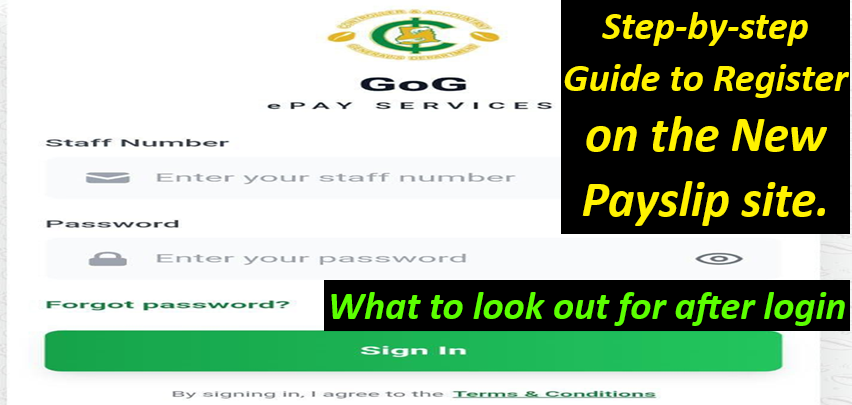
Step-by-step Guide to Register on the New Payslip site.
Log on to https://gogepayservices.com/ and click “Forgot password.”
Enter your employee number and click continue
In the new pop-up, enter your Ghana card number to verify your identity, and click on verify to continue
Confirm your profile details and edit or add your phone number, which is compulsory. Add or update your email address (optional).
NOTE: If any of your details are not correct, then contact your HR department because changes or corrections to your profile details can only be made through official channels.
Click continue to proceed.
You will be required to confirm your phone number and click yes to send an OTP to your phone number.
Enter the OTP and verify to continue.
A new menu will appear. Enter your new password and confirm the new password. Provide a security question and answer that you will need in the future to reset your password.
Review your information summary, select confirm if everything is correct, and click register account to complete your registration.
A successful registration menu will appear. Click on auto login to return to the login page.
Enter your staff number and password to sign in to your account.
Upon logging into your portal, don’t just skim your payslip. Give it a thorough once-over:
Your Rank and Responsibility Allowance:
- Confirm your current GRADE (e.g., Principal Superintendent) and any responsibility allowances (like HOD, House Master, Form Master, Chaplain) are correctly reflected.
- Don’t assume a change will automatically show up in your salary.
- Early detection allows for quicker resolution.
Management Unit and Cost Centre:
- Verify that your current place of work (Management Unit) is accurate.
- If you’ve been transferred and haven’t been validated at your new location, your salary payments could be disrupted.
- Double-check your COST CENTRE as well.
Level and Point Progression:
- Track your LEVEL (e.g., SS. PSH17) and POINT progression.
- These should generally increase over time.
- If your point stagnates or, worse, decreases, it’s a red flag worth investigating.
- Note your SCALE TYPE (e.g., SS) for reference.
Single Spine Salary and Allowances:
- Ensure your base salary and all entitled allowances are present and haven’t unexpectedly reduced.
Income Tax Scrutiny:
- Keep an eye on your Income Tax deductions. A sudden, significant increase warrants investigation.
Deduction Vigilance:
- Carefully review all deductions.
- If you have loan repayments deducted at source, monitor them to prevent over-deductions or the appearance of unauthorized new deductions.
The Bottom Line:
- Finally, check your Total Gross Salary, total deductions, and the resulting Net Paid figure to your bank account. Does it align with your expectations?
Tax Relief:
- Tax Relief, when applied for, is paid for a period of 12 months. If it’s not being paid, contact CAGD
Don’t just rely on your payslip. Actively check the “Wrongful Deductions” section:
Month-by-Month Comparison:
- Select the specific month (e.g., April or May 2025) and year, then generate the report.
- Compare the deductions listed here with those on your payslip.
- Any discrepancies?
- This is where you can file a formal complaint directly through the system if you suspect an over-deduction.
The “Generate Mandate” section requires your attention:
- Review all generated mandates, whether used or not. Confirm the institution that utilized any mandate and ensure you authorized it.
- If you spot a newly generated mandate that you didn’t initiate, even if it’s marked as unused, take immediate action. Change your password to a strong, unique one immediately.
- Sometimes, unauthorized actions can stem from those around you. Stay vigilant.
- If you notice deductions or generated mandates for insurance or other services you never subscribed to, report it immediately.
Your Contact Information: A Critical Check
- Phone Number Verification: While changing your phone number isn’t straightforward, make it a monthly habit to confirm that the number listed in your profile is indeed yours.
- Never, under any circumstances, use a friend’s, family member’s (including your spouse or child’s) details to create your payslip. This can lead to serious complications.
Association Integrity: Protecting Your Benefits
Navigate to the “Change Association” section:
- Confirm Your Affiliation: Even if your payslip shows your association, this area allows you to monitor if any unauthorized process has been initiated to change your current association.
- Long-Term Benefits: Remember that many associations base loan eligibility and amounts on your years of membership and contributions. Switching associations can significantly impact your future access to these benefits.
The Power of Proactive Monitoring
- This simple monthly routine on your GOG Epaylsip portal isn’t just about checking your salary.
- It’s about taking control of your financial well-being, identifying errors early, and safeguarding yourself against unauthorized activities.
- By dedicating a few minutes each month to these checks, you can save yourself significant time, stress, and potential financial losses down the line.
- Your validated picture is often required for generating mandate forms for loans and other important transactions.
- Take a glance to ensure the displayed picture is indeed yours.